
Aircraft of World War II - Warbird Forums

A6M3 Operations manual

Other Mechanical Systems Tech. Discuss A6M3 Operations manual in the Technical forums; A6M3 Operations manual and blue prints. All in Japanese. Copy's of the orginal drawings. Found at the Japanese Center ...


Go Back   Aircraft of World War II - Warbird Forums > World War II - Aviation > Technical > Other Mechanical Systems Tech.

Reply
 
LinkBack Thread Tools Search this Thread Display Modes
Old 12-08-2006, 09:18 PM   #1
Moderator
 
Micdrow's Avatar
 
Join Date: Aug 2006
Location: Wisconsin
Posts: 2,890
Country:
A6M3 Operations manual

A6M3 Operations manual and blue prints. All in Japanese. Copy's of the orginal drawings. Found at the Japanese Center for asian records.

You will need to unzip this file from a RAR format because the website does not accept DjVu files. Then to view the file you will need to install a DjVu Viewer. Sorry for the complecation of this file. Its in the format on how I got it from the above.

A DjVu viewer can be downloaded from here LizardTech - Homepage

Any translators out there

Enjoy Micdrow
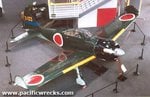
Attached Images
File Type: jpg A6M3.jpg (14.9 KB, 541 views)
Attached Files
File Type: rar A6M3 Operations manual.rar (7.94 MB, 360 views)

Last edited by Micdrow : 12-08-2006 at 09:34 PM.
Micdrow is offline  
Digg this Post!Add Post to del.icio.usBookmark Post in TechnoratiFurl this Post!Spurl this Post!Reddit! Wong this Post!
Reply With Quote
Old 12-08-2006, 11:40 PM   #2
IP/Mech THE GREAT GAZOO
 
FLYBOYJ's Avatar
 
Join Date: Apr 2005
Location: Colorado, USA
Posts: 13,520
Country:
OUTSTANDING!!!!!!
__________________
"IF ITS RED OR DUSTY, DON'T TOUCH IT"
FLYBOYJ is offline  
Digg this Post!Add Post to del.icio.usBookmark Post in TechnoratiFurl this Post!Spurl this Post!Reddit! Wong this Post!
Reply With Quote
Old 12-09-2006, 04:58 AM   #3
Member
 
GADGET's Avatar
 
Join Date: Oct 2006
Posts: 44
Country:
Can somebody switch this file to PDF?

I am not familiar with .djvu format (it doesn't sound very good either).

Thank you Micdrow
GADGET is offline  
Digg this Post!Add Post to del.icio.usBookmark Post in TechnoratiFurl this Post!Spurl this Post!Reddit! Wong this Post!
Reply With Quote
Old 12-09-2006, 07:06 AM   #4
Moderator
 
Micdrow's Avatar
 
Join Date: Aug 2006
Location: Wisconsin
Posts: 2,890
Country:
Quote:
Originally Posted by GADGET View Post
Can somebody switch this file to PDF?

I am not familiar with .djvu format (it doesn't sound very good either).

Thank you Micdrow
I got to agree with you Gadget that it didnt sound very good to me either. But Ive seen more and more area's starting to go to this. Its creates more compact files then pdf. I tried exporting one page to bmp format from a djvu file and it came out to 80 meg. This file has around 78 pages so it would be a huge pdf file. Quality was also sacrificed in the process and this manual is hard to read even in djvu. Maybe one of our fellow members know and eaiser way with the same quality.

Micdrow
Micdrow is offline  
Digg this Post!Add Post to del.icio.usBookmark Post in TechnoratiFurl this Post!Spurl this Post!Reddit! Wong this Post!
Reply With Quote
Old 12-09-2006, 03:46 PM   #5
Senior Member
 
genkideskan's Avatar
 
Join Date: Nov 2006
Location: Kaluebbe
Posts: 103
Country:
Well Deja-vu is an open source programm using a special algorithm. So the main reason to use it - ITs free.
There are a lot of plug ins - I found a converter to .TIF and. pdf and will give it a trial soon.
It was made for librarys to give good screen performance . .pdf is mainly developed for good print quality.
genkideskan is offline  
Digg this Post!Add Post to del.icio.usBookmark Post in TechnoratiFurl this Post!Spurl this Post!Reddit! Wong this Post!
Reply With Quote
Old 12-10-2006, 05:46 PM   #6
Senior Member
 
genkideskan's Avatar
 
Join Date: Nov 2006
Location: Kaluebbe
Posts: 103
Country:
Hello,

Ive try these document converter - its an trial version and add an water mark to the pdf's.

You couldt download a free trial version here

Universal Document Converter - Official Home Page

In the top right corner you couldt choose english language.

After download and installation you couldt use it as an "printer" alike .pdf.

Open Dejavu and chlick the printer, now choose document converter and choose convert to .pdf.

The .pdf where stored in a file called "UDC snapshots" on your desktop.

Funny to see that they start with the last page - jpn. book titel pages are at the "last" site for us .
Attached Images
File Type: pdf DejaVu Document_p01.pdf (25.0 KB, 114 views)

Last edited by genkideskan : 12-10-2006 at 05:50 PM.
genkideskan is offline  
Digg this Post!Add Post to del.icio.usBookmark Post in TechnoratiFurl this Post!Spurl this Post!Reddit! Wong this Post!
Reply With Quote
Reply


Thread Tools Search this Thread
Search this Thread:

Advanced Search
Display Modes

Posting Rules
You may not post new threads
You may not post replies
You may not post attachments
You may not edit your posts

vB code is On
Smilies are On
[IMG] code is On
HTML code is Off
Trackbacks are On
Pingbacks are On
Refbacks are On


All times are GMT -5. The time now is 02:57 PM.


Powered by vBulletin
Copyright ©2000 - 2008, Jelsoft Enterprises Ltd.
SEO by vBSEO 3.1.0
   

AVIATION TOP 100 - www.avitop.com Avitop.com


1 2 3 4 5 6 7 8 9 10 11 12 13 14 15 16 17 18 19 20 21 22 23 24 25 26 27 28 29 30 31 32 33 34 35 36 37 38 39 40 41 42 43 44 45 46 47 48 49 50 51 52 53 54 55 56 57 58 59 60 61 62 63 64 65 66 67 68 69 70 71 72 73 74 75 76 77 78 79 80 81 82 83 84 85 86 87 88 89 90 91 92 93